Webhook:
To use webhook with our API, you must first create a URL endpoint for the webhook. The URL endpoint must be publicly accessible and able to receive HTTP POST requests. When you create a webhook in our API, you will be asked to provide the URL endpoint for the webhook.
Webhook Data Format:
When a webhook is triggered, the data for the event will be sent in the request body as a JSON object.
Sample Webhook Request:
Here is an example of what a webhook request might look like:
https://resellerjoinup.com/save-data-to-crm.php
Host: resellerjoinup.com
Response: return a JSON formatted data from SoftwareSuggest.com as below.
['lead'] => {
"apitoken": "123456",
"id": "496485",
"name": "Moin shah",
"email": "moin@ss.com",
"mobile": "7894561230",
"categories": "Bug Fixing",
"city": "ahemdabad",
"ip_country": "India",
"pincode": "380001",
"company": "softwaresuggest",
"industry": "test",
"no_of_employees": "50-100",
"requirement": "test requirement",
"current_software": "test SW",
"reason_to_change": "Test SW",
"deployment": "Any",
"no_of_users": "10 to 30",
"budget": "10crs",
"preferred_location": "test",
"prefer_time_to_call": "All Day",
"reseller": "no",
"alternative_mobile": "7894561231",
"designation": "CEO",
"business": "test",
"time_frame": "",
"prefer_mode_of_demo": "Online",
"no_of_tables": "",
"software_evaluate": "",
"state": "Gujarat",
"countrycode": "+91",
"send_mail": "HQL"
}
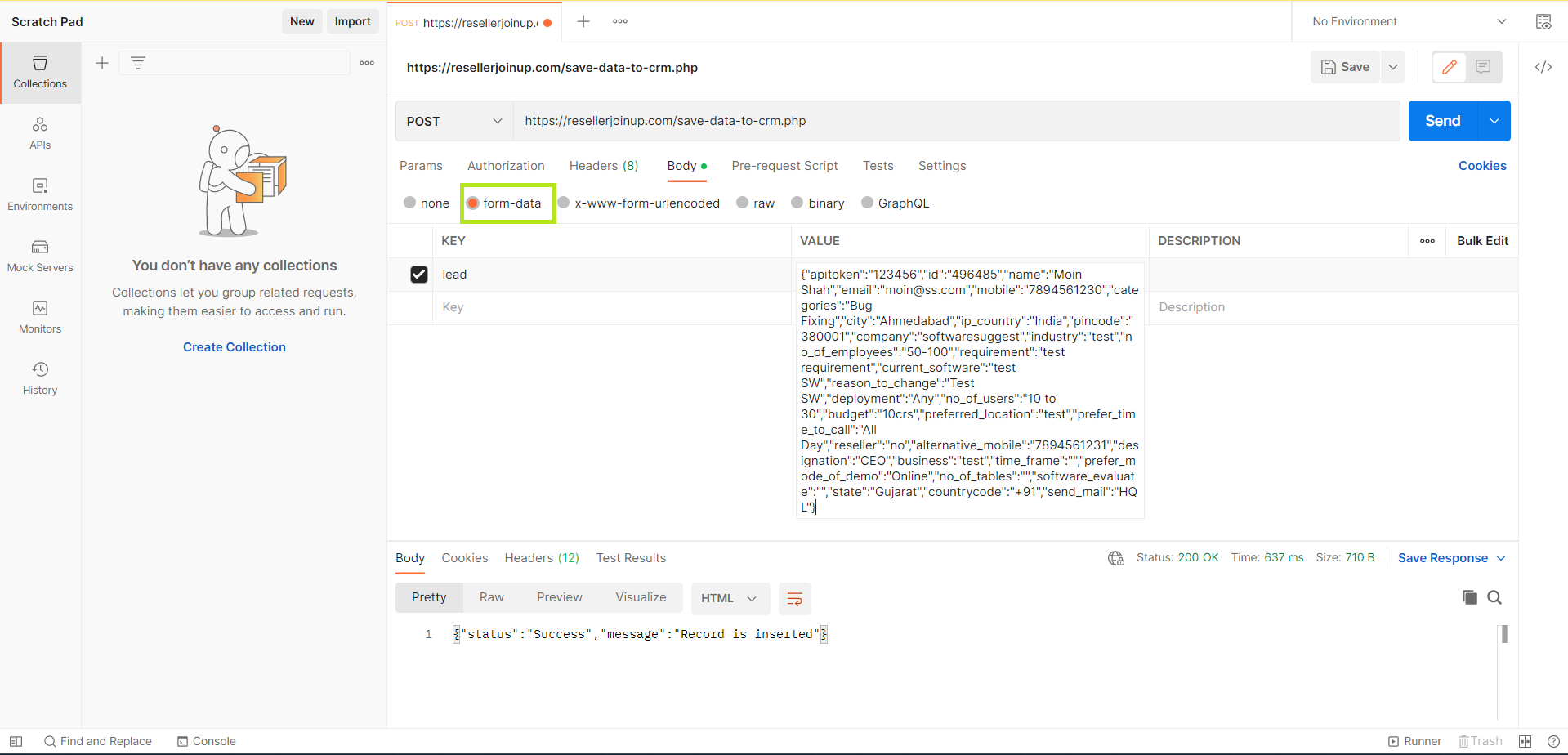
Here, lead is a key and it contains value in JSON object.
According your requirement you can use utilize this data. This data should be in 'form-data' format only, as shown below in the attached image.
Was this article helpful?
That’s Great!
Thank you for your feedback
Sorry! We couldn't be helpful
Thank you for your feedback
Feedback sent
We appreciate your effort and will try to fix the article